CSS Pseudo-Elements
Overview
Like pseudo-classes, CSS pseudo-elements add versatility when working with HTML and CSS. Pseudo-elements let you
style specific parts of an element, and ::before and ::after let you insert content
directly before or after an element's content.
"A CSS pseudo-element is a keyword added to a selector that lets you style a specific part of the selected
element(s). For example, ::first-line can be used to change the font of the first line of a
paragraph." – MDN
Prepare
- Reference: CSS Pseudo-elements – MDN
- Browsers still accept a single colon for the older pseudo-elements (
:before,:after,:first-line,:first-letter), but newer ones such as::markerrequire two. Always use double colons::for pseudo-elements. - The
::beforeand::afterpseudo-elements only appear when the rule includes acontentproperty, for exampleli::before { content: "→ "; }. - Other common pseudo-elements include
::first-line,::first-letter,::placeholder, and::selection. - Review: CodePen ☼ CSS Pseudo-Elements
Activity Instructions
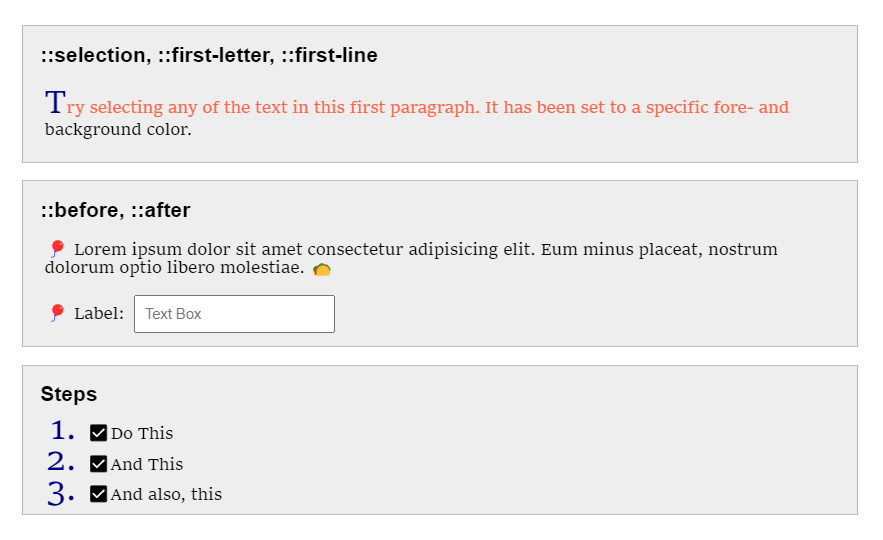
- Fork the CodePen ☼ CSS Pseudo-Elements to your own CodePen account.
- Add a
::markerpseudo-element rule to the CSS. - In the marker rule, add declarations to change the ordered list's numbers:
color: navyfont-size: 2remfont-variant: small-caps
- Add a
::beforepseudo-element to insert a check mark ✔ in front of each ordered list item.